
Screenshots
App details
- Version
- 4.5 | 4.3 | 4.2 | 4.1
- Size
- 1.79 MB
- Updated
- October 10, 2018
- Requires
- Windows 2000
- Language
- English | German | Spanish | French | Du...
- License
- Trial version
- Developer
- Ardamax Software
- Category
- Windows OS
SoftPas in:
This product is also available in the following languages:
About Ardamax Keylogger
Download Ardamax Keylogger – Secure, Stealthy, 24/7 Monitoring Tool for Windows
Ardamax Keylogger is a powerful monitoring software designed for administrators, parents, and employers who need to track digital activities on Windows computers. With advanced features like keystroke logging, screenshot capture, microphone recording, and encrypted data storage, it provides comprehensive surveillance across any networked environment. The tool operates in stealth mode, ensuring users remain unaware of its presence while continuously collecting data. Whether used in schools, offices, or homes, Ardamax Keylogger delivers real-time insights into user behavior, helping prevent misuse of devices and safeguard sensitive information. Its remote access capabilities allow admins to monitor systems from anywhere, with logs automatically sent to email, FTP, or network servers. The software is compatible with Windows 10, 8.1, 8, 7, XP, and Vista, making it accessible for a wide range of users. Download Ardamax Keylogger today to gain full visibility into digital activity with secure, reliable, and efficient monitoring.
Advanced Monitoring Features for Complete Digital Oversight
Ardamax Keylogger stands out in the crowded field of monitoring tools due to its robust and multifaceted feature set. At its core, the software excels in capturing every keystroke typed on a monitored device, providing a complete record of user input across all applications—be it emails, instant messages, social media, or document editing. This keystroke logging feature is invaluable for employers who want to ensure productivity and prevent data leaks, as well as parents seeking to protect their children from online predators or inappropriate content. The software doesn’t just log text—it stores every interaction in encrypted log files that are accessible only to authorized administrators, ensuring data integrity and privacy. Beyond text, Ardamax Keylogger includes automatic screenshot capture at user-defined intervals, allowing administrators to visually verify user behavior. These screenshots can be triggered manually or scheduled based on time, activity, or specific events. The built-in camera integration enables the software to take photos through the computer’s webcam, offering a layer of identity verification and behavioral observation. This is particularly useful in shared environments like computer labs or offices where accountability is critical. Additionally, the microphone recording feature captures audio from the computer’s microphone, including voice chats, video calls, and ambient conversations. This functionality ensures that no digital interaction goes unnoticed. All collected data—text logs, screenshots, audio clips, and video frames—are stored securely in an encrypted folder, protected by password access. The software also supports remote data retrieval, enabling admins to access logs from any device via email, FTP, or network shares. This level of comprehensive monitoring makes Ardamax Keylogger a top-tier choice for those needing full digital oversight.Stealth Operation & Remote Access for Uninterrupted Surveillance
One of the most compelling aspects of Ardamax Keylogger is its ability to operate in complete stealth mode. Once installed, the software runs invisibly in the background, leaving no trace in the Start Menu, Task Manager, System Tray, Startup folder, or the list of installed programs. This ensures that users cannot detect or disable the software, which is crucial for maintaining consistent monitoring without alerting the subject. The stealth feature is especially beneficial in sensitive environments such as corporate offices or educational institutions where transparency might compromise the monitoring process. Despite its invisible nature, Ardamax Keylogger remains fully functional and reliable, operating 24/7 without requiring user interaction. The remote functionality further enhances its utility, allowing administrators to manage multiple devices from a single location. Using the pre-configured remote installation package, IT managers can deploy the software across a network without physically accessing each machine. Once deployed, the software automatically begins logging activities and transmits data to a secure destination—such as an admin’s email, FTP server, or local network drive—without intervention. This real-time data transfer ensures that administrators are always up-to-date on user behavior, even when they’re away from the office. The system also supports automatic updates, ensuring the software remains compatible with the latest Windows versions and security patches. With its combination of invisibility, remote control, and automated reporting, Ardamax Keylogger delivers a seamless monitoring experience that’s both secure and efficient.Installation, Usage, and Compatibility Across Windows Platforms
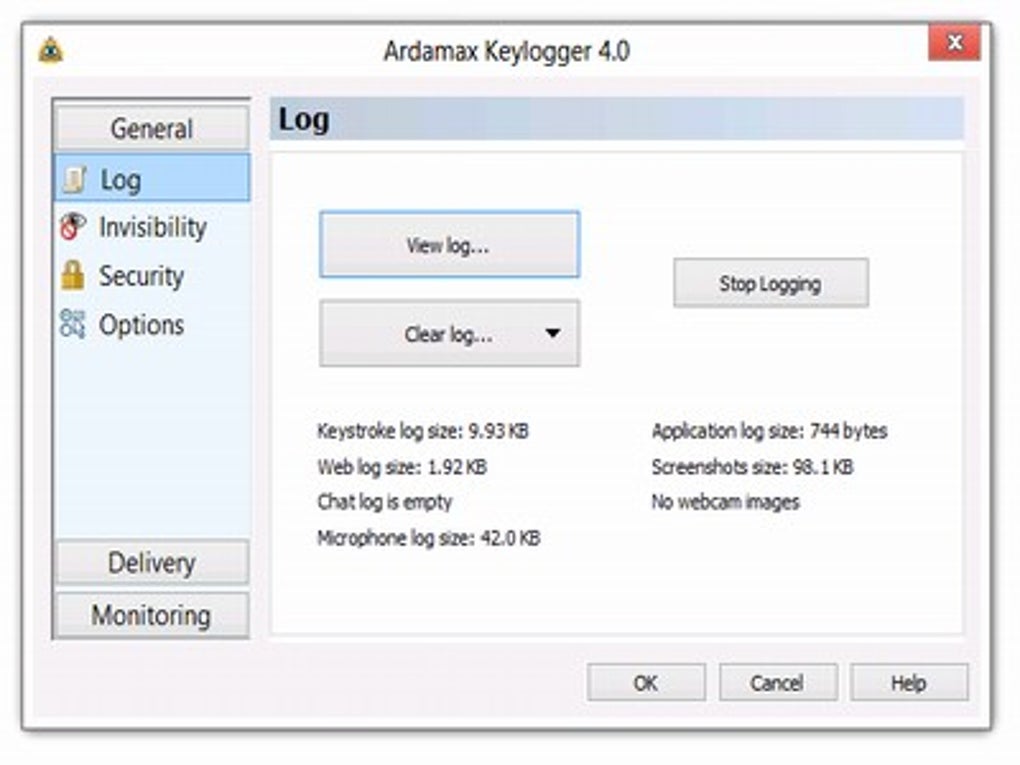
Installing Ardamax Keylogger is straightforward, even for users with minimal technical expertise. The software is available for free download from the official website and comes in a portable or installer-based version. For a standard installation, users simply download the setup file, run it, and follow the on-screen prompts. During setup, administrators can choose their preferred monitoring settings, including log file format (text or HTML), screenshot frequency, and data transmission method. After installation, the software runs silently in the background, requiring no further action. To begin monitoring, users must access the admin panel via the designated password-protected interface. From there, they can view logs, download reports, configure settings, and manage remote devices. The software supports both local and remote access, making it ideal for distributed teams or multi-location organizations. Ardamax Keylogger is compatible with a wide range of Windows operating systems, including Windows 10, 8.1, 8, 7, XP, and Vista. This broad compatibility ensures that the tool can be deployed across legacy systems and modern machines alike. While the software is designed exclusively for Windows, its remote management features make it highly scalable. Administrators can monitor multiple devices simultaneously, receiving alerts and logs in real time. The interface is intuitive, with clearly labeled sections for logs, screenshots, audio recordings, and settings. For advanced users, the software also offers command-line options and API integration for automated workflows. Whether used in a school lab, corporate office, or home environment, Ardamax Keylogger provides a seamless setup and user experience. With its lightweight footprint and minimal system impact, it runs efficiently without slowing down the monitored device.Pros and Cons: A Balanced View of Ardamax Keylogger
- Pros:
- Complete stealth mode with no trace in system menus or task manager
- Supports keystroke logging, screenshots, audio, and webcam capture
- Encrypted log files ensure data security and prevent tampering
- Remote installation and management across multiple devices
- Automated data transmission via email, FTP, or network
- Compatible with Windows 10, 8.1, 8, 7, XP, and Vista
- Intuitive admin panel with real-time log access
- Free download with no hidden costs
- Cons:
- Not available for Mac, Android, or iOS devices
- Requires Windows OS only, limiting cross-platform use
- Privacy concerns may arise if used without consent
- Advanced features require some technical knowledge to configure
- Remote access depends on stable internet connectivity
Frequently Asked Questions (FAQ)
Can Ardamax Keylogger be detected by antivirus software?
Ardamax Keylogger is designed to operate in stealth mode and is not flagged by most standard antivirus programs. However, some advanced security software may detect it due to its background activity. It is recommended to use the software responsibly and only on devices you own or have explicit permission to monitor.
Is Ardamax Keylogger legal to use?
Yes, Ardamax Keylogger is legal when used for legitimate purposes such as monitoring company-owned devices, parental control, or personal device management. However, using it on someone else’s device without consent may violate privacy laws in many jurisdictions.
Can I use Ardamax Keylogger on multiple computers?
Yes, the software supports remote installation and can be deployed across multiple Windows machines within a network. Admins can manage all devices from a single control panel.
How often are logs sent to the admin?
Logs can be sent automatically at user-defined intervals—such as every 5 minutes, hourly, or daily—via email, FTP, or network storage. This ensures real-time monitoring without manual intervention.
Does Ardamax Keylogger work on Windows 11?
While not explicitly listed, Ardamax Keylogger is compatible with Windows 11 due to its support for Windows 10 and earlier versions. However, users should verify compatibility through the official website or contact support for confirmation.
Conclusion: A Powerful Tool for Responsible Monitoring
Ardamax Keylogger is a highly effective and secure monitoring solution for Windows environments. With its combination of stealth operation, comprehensive data collection, and remote management capabilities, it offers unmatched visibility into user activity. Whether you're a parent concerned about online safety, a teacher monitoring classroom computers, or an employer ensuring workplace productivity, this software provides the tools you need. Its encrypted logs, automatic updates, and flexible deployment options make it a reliable choice for long-term use. While it’s important to use such tools ethically and within legal boundaries, Ardamax Keylogger stands out as a top-tier option for digital oversight. Download Ardamax Keylogger today and take full control of your digital environment with confidence.Guides & Tutorials
How to install Ardamax Keylogger
- Click the Download button above.
- Once redirected, accept the terms and click Install.
- Wait for the Ardamax Keylogger download to finish on your device.
How to use Ardamax Keylogger
This software is primarily used for its core features described above. Open the app after installation to explore its capabilities.
User Reviews
No reviews yet. Be the first to share your experience.
You may also like
more
Llama 2
Free-to-use large language model As the new addition to Meta’s arsenal of langua...

NotebookLM
Revolutionizing the note-taking and idea-generation process NotebookLM is an exp...

Github co pilot
AI-inspired software development and coding platform GitHub Copilot is a browser...

Google Gemma
Google’s lightweight AI models Introducing Google Gemma , a family of cutting-ed...

AI Image Enlarger
A free app for Windows, by ai-image-larger. AI Image Enlarger is a free software...

DALL E
AI-driven text-to-image transformation engine DALL·E is a free graphic and desig...